If you read my last post on drone technology, I ended it with a promise — I was going to stop theorizing and start building. This is that post.
The goal is an end-to-end autonomous drone test environment where an LLM controls real drone flight software through natural language. Not a toy demo — a full simulation stack that can scale to fleet operations, computer vision, and eventually real hardware. The target applications are infrastructure inspection, wildfire detection, and search and rescue. They all share a common pattern — autonomous search over a defined area with adaptive re-tasking based on what the drone finds.
Architecture
I landed on four layers, each with a clear responsibility:
| Layer | Role | Technology | Runs On |
|---|---|---|---|
| Operator | Natural language commands | Claude Code + MCP client | MacBook (local) |
| Orchestration | Mission control, drone API | droneserver (MCP server) + MAVSDK | AWS EC2 |
| Flight Controller | Autopilot firmware | PX4 SITL (Software In The Loop) | AWS EC2 (Docker) |
| Physics Simulation | Real-world physics | Gazebo Harmonic | AWS EC2 (Docker) |
Communication flows down: Claude speaks MCP (Model Context Protocol) over HTTP/SSE to the orchestration layer. The orchestration layer speaks MAVLink (the standard drone communication protocol) over UDP to PX4. PX4 talks to Gazebo over a shared memory bridge for physics simulation. Each layer is independently replaceable — that’s the key. If I want to swap Gazebo for a higher fidelity sim later, the layers above don’t care.
What Gazebo Actually Does
This one took me a bit to wrap my head around. Gazebo is the physics engine. While PX4 runs the actual flight controller firmware (the same code that runs on real drone hardware), Gazebo simulates the physical world that firmware thinks it’s operating in. That means:
- Gravity, thrust, and aerodynamics — the drone has mass, motors produce force, wind exists
- Sensors — accelerometers, gyroscopes, barometers, GPS, magnetometers all produce simulated data with realistic noise
- Environment — a 3D world the drone exists in (for now a default flat world — later, detailed terrain)
PX4 and Gazebo communicate through gz_bridge — PX4 sends motor commands, Gazebo computes the physics and sends back sensor data. PX4 doesn’t know it’s in a simulation. That’s the whole point of SITL: the firmware is identical to what flies on real hardware. So when this thing eventually controls a physical drone, the software is already proven.
Phase 1: First LLM-Controlled Flight (Feb 19)
The Stack
The foundation is droneserver, an MCP server built by Peter Burke at UC Irvine that bridges LLM tool calls to MAVLink drone commands via MAVSDK Python. I forked it and started extending it. The full path for a single command looks like this:
Claude Code (MacBook)
  → SSH tunnel (port 8080)
    → droneserver MCP server (EC2)
      → MAVSDK Python
        → MAVLink UDP (port 14540)
          → PX4 SITL autopilot (EC2)
            → Gazebo physics sim (EC2)
That’s a lot of layers for “make the drone go up.” But each one exists for a reason and they’ll matter a lot more when this scales to multiple drones with vision.
Docker Attempt #1: Failed
My first attempt was to containerize PX4 in Docker on EC2. It failed. MAVLink heartbeats — the UDP packets PX4 sends every second to announce “I’m alive” — were going to Docker’s default gateway instead of reaching droneserver on the host. Without heartbeats, MAVSDK never connects. I spent an hour debugging application-level code before a raw UDP socket test (socket.recvfrom) on the host instantly confirmed the real problem: no packets arriving on port 14540. The network layer was broken. Lesson learned — test the lowest layer first.
Pivot to Native Install
I abandoned Docker temporarily and installed PX4 natively on a t3.large EC2 instance (Ubuntu 24.04, 2 vCPU, 8GB RAM, 50GB disk). PX4’s ubuntu.sh setup script installed all dependencies. Built from source. Took about 40 minutes, but it worked immediately — MAVLink heartbeats flowing, MAVSDK connected, droneserver came online.
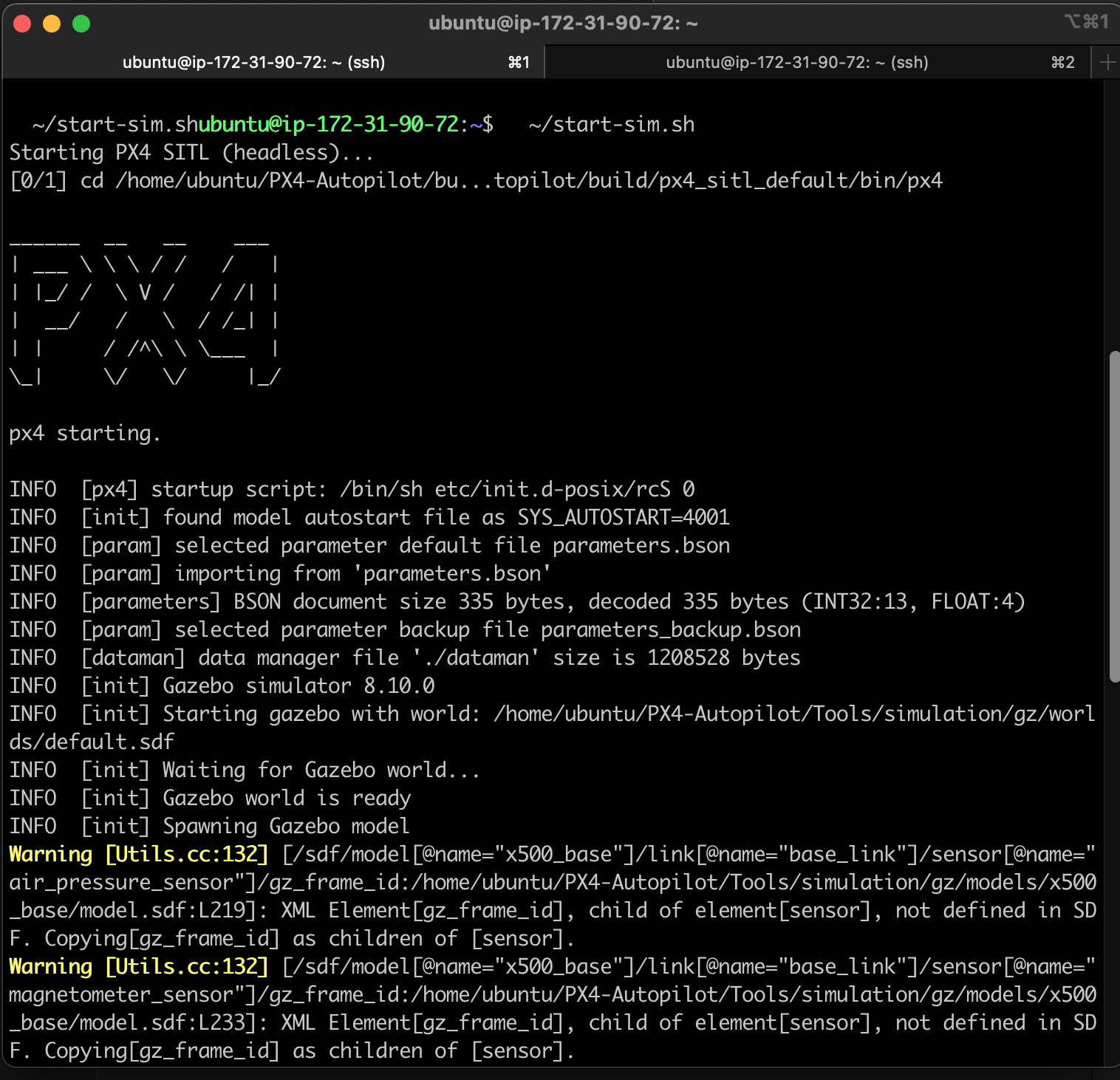
The Flight
With PX4 running natively, droneserver started up and connected — MAVSDK found the drone on UDP port 14540, GPS lock acquired, ready for commands.
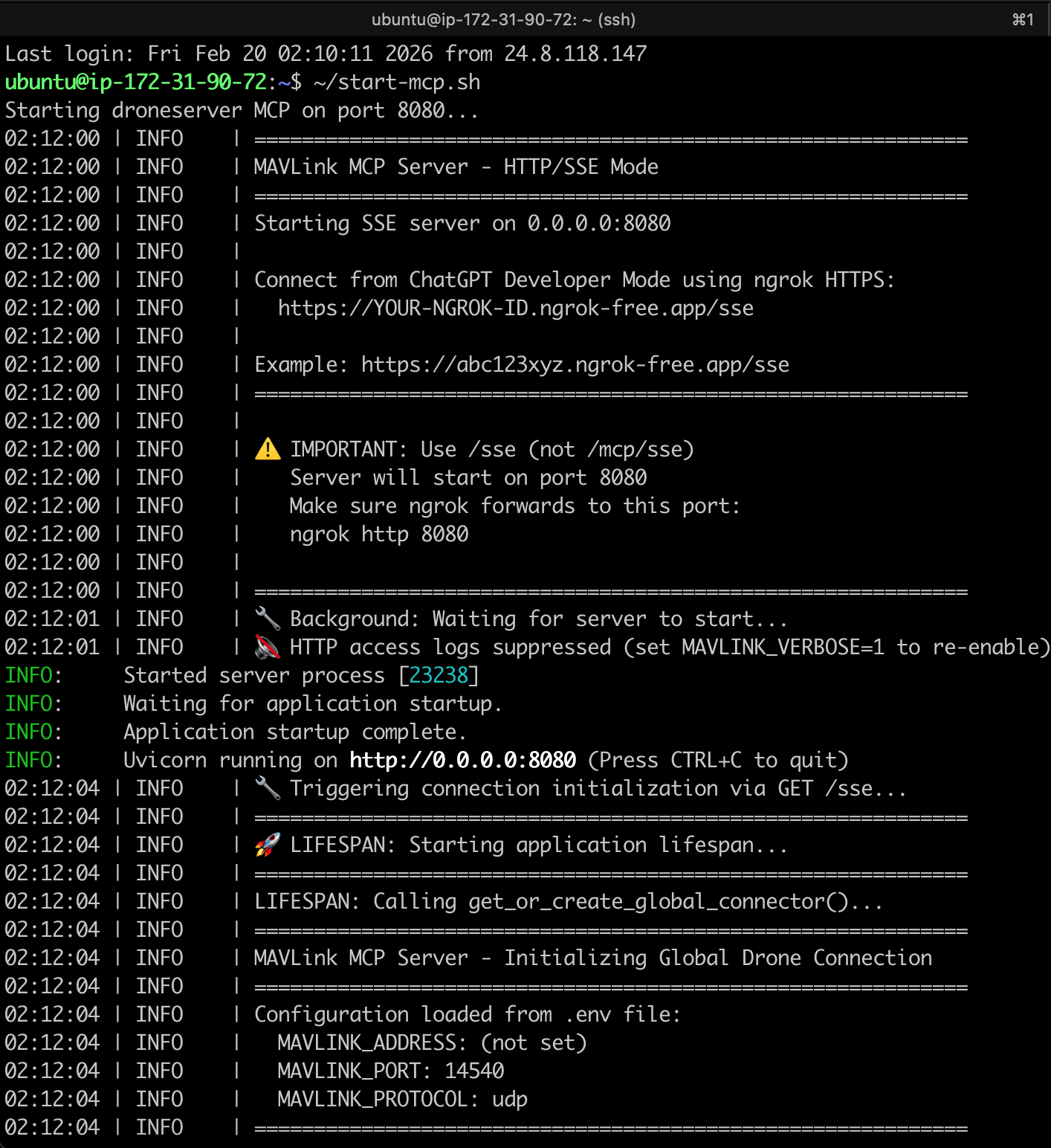
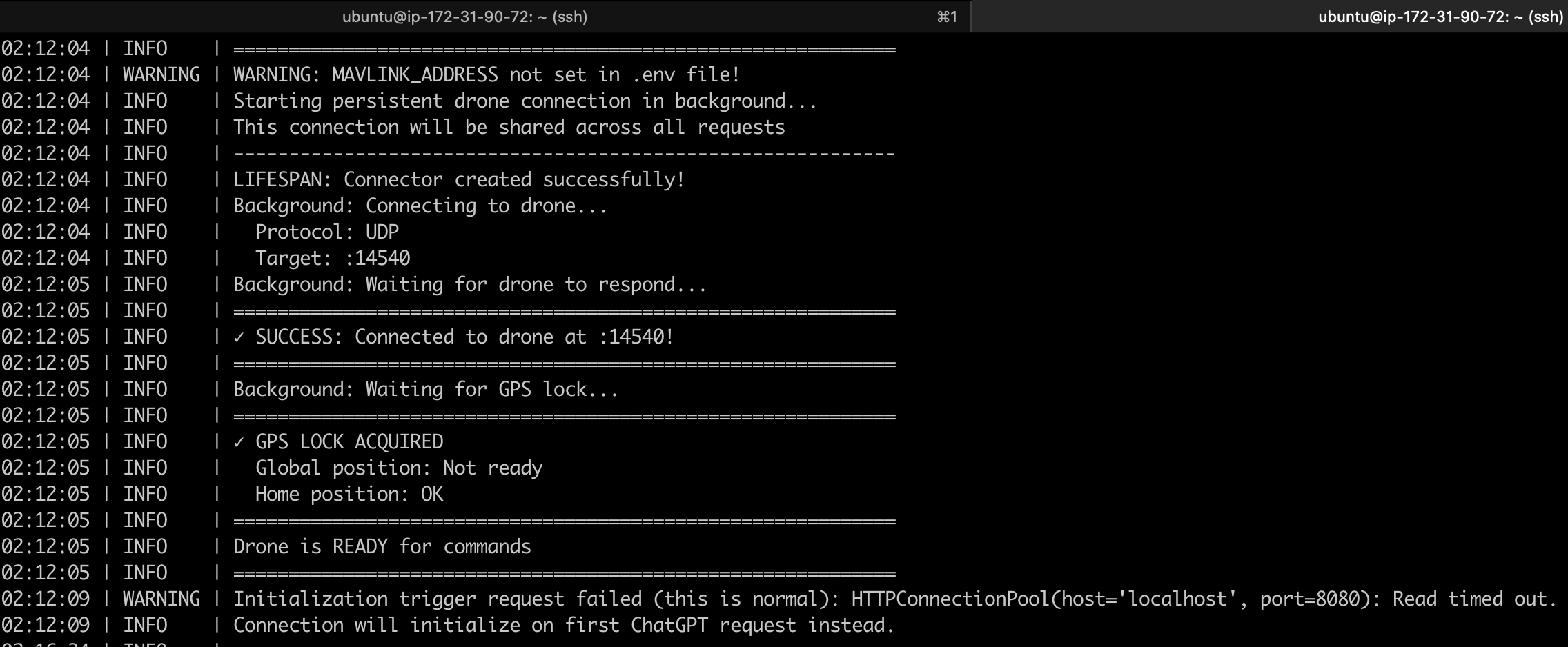
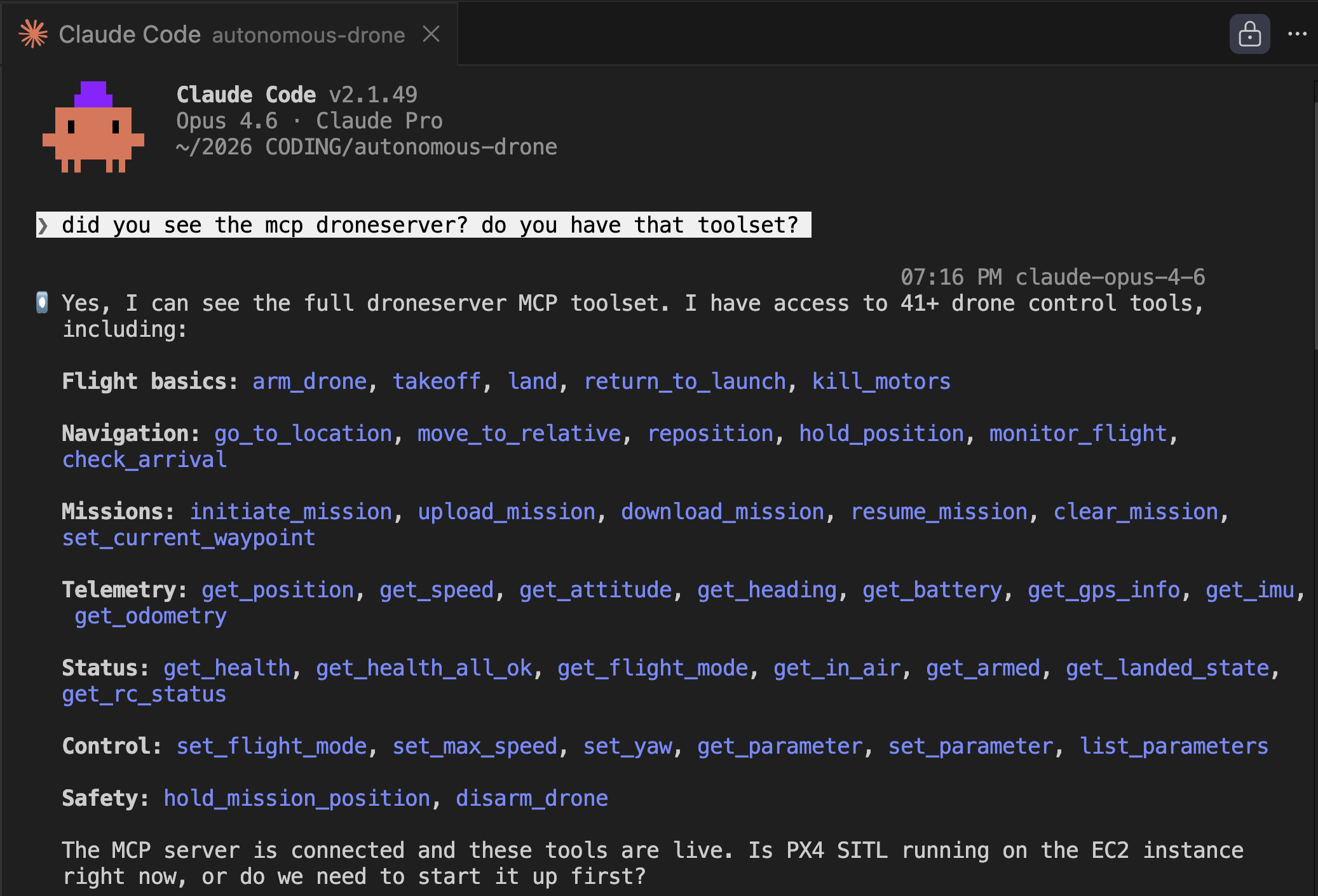
I connected Claude via SSH tunnel and it immediately discovered the full MCP toolset — 41 drone control tools spanning flight basics, navigation, missions, telemetry, status, control, and safety. Seeing all those tools populate in the terminal was a moment. This thing has a lot of capability.
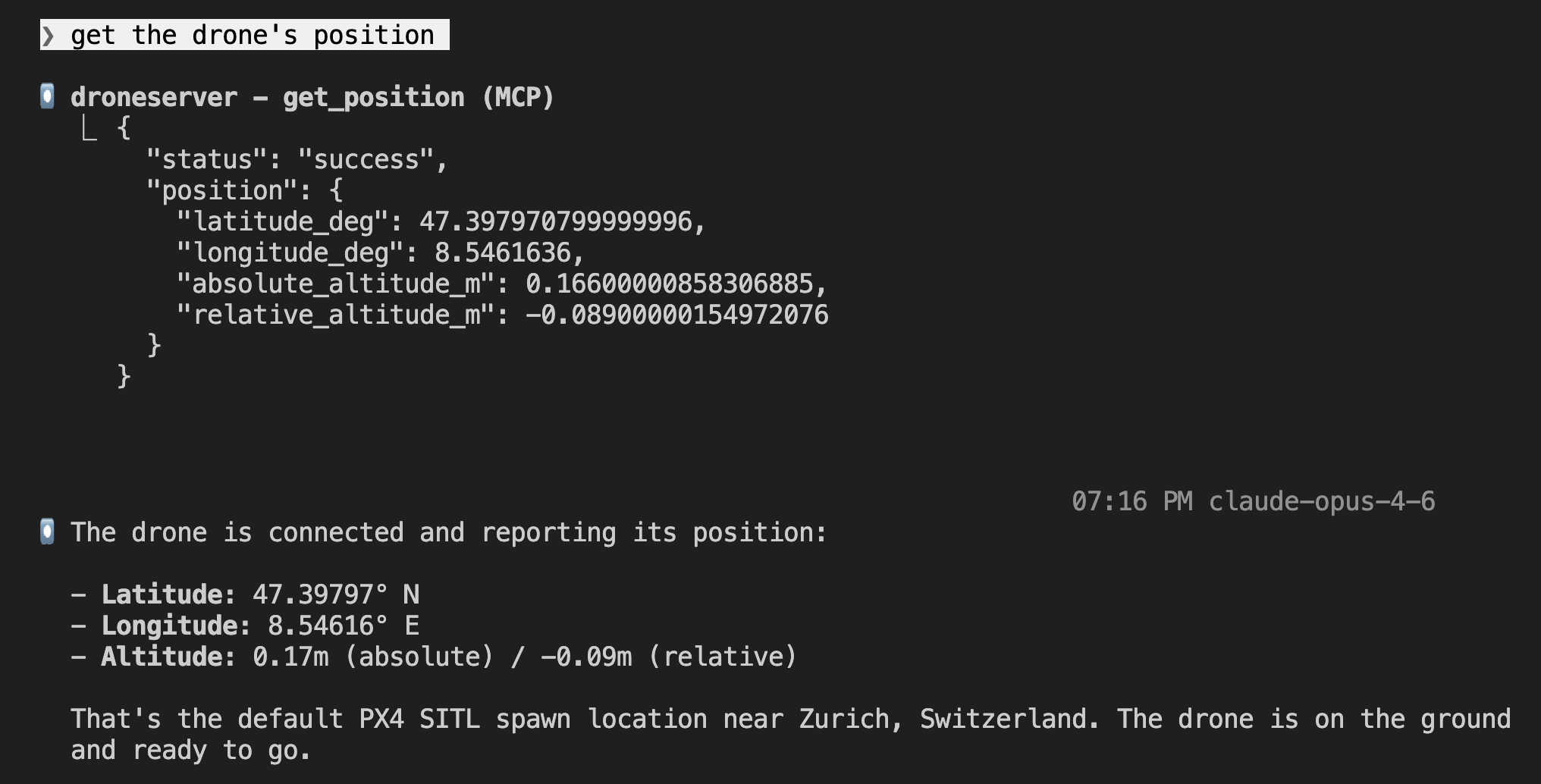
First command: “get the drone’s position.” The drone reported its location on the ground at the default PX4 spawn point near Zurich, Switzerland — altitude ~0m, sitting on the ground, ready to fly.
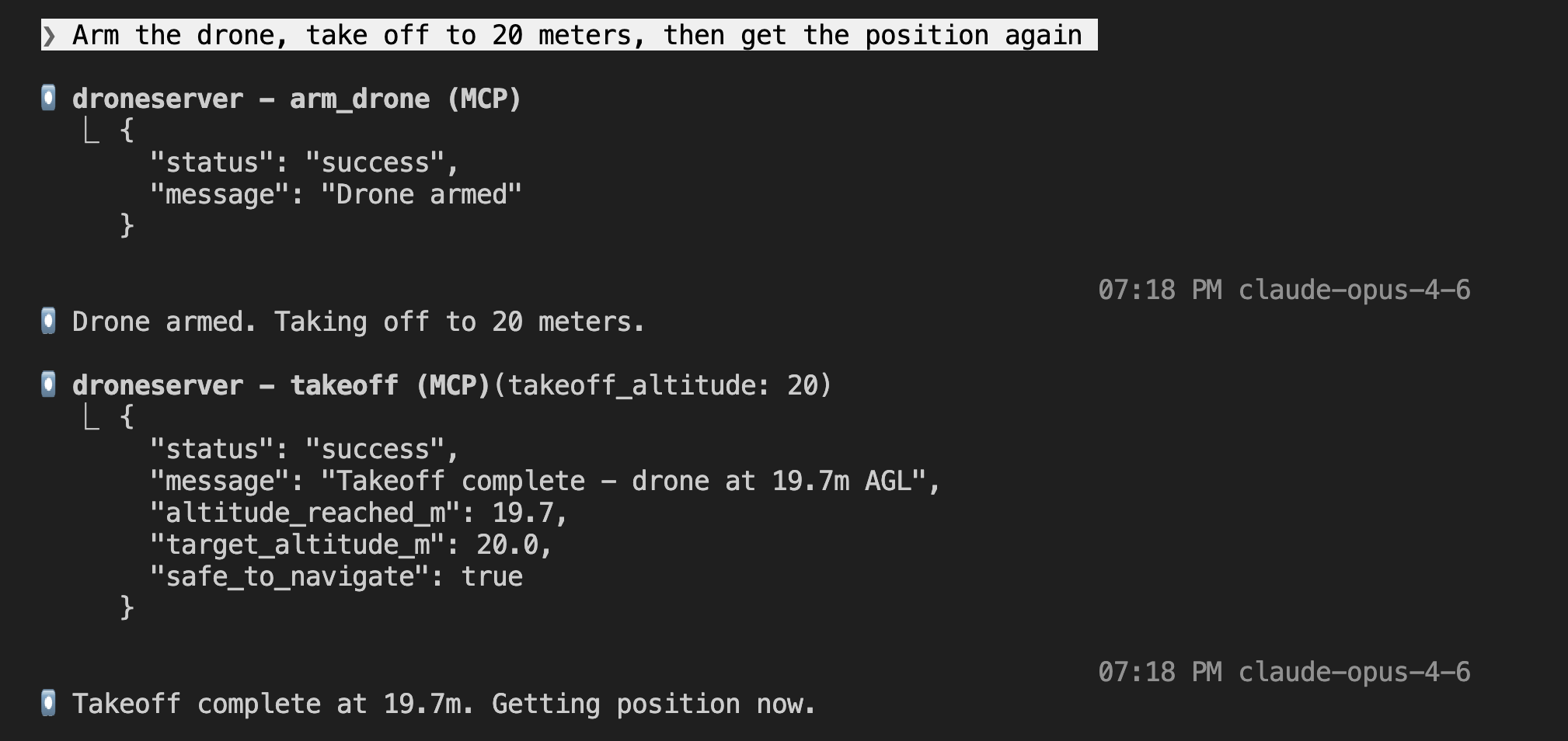
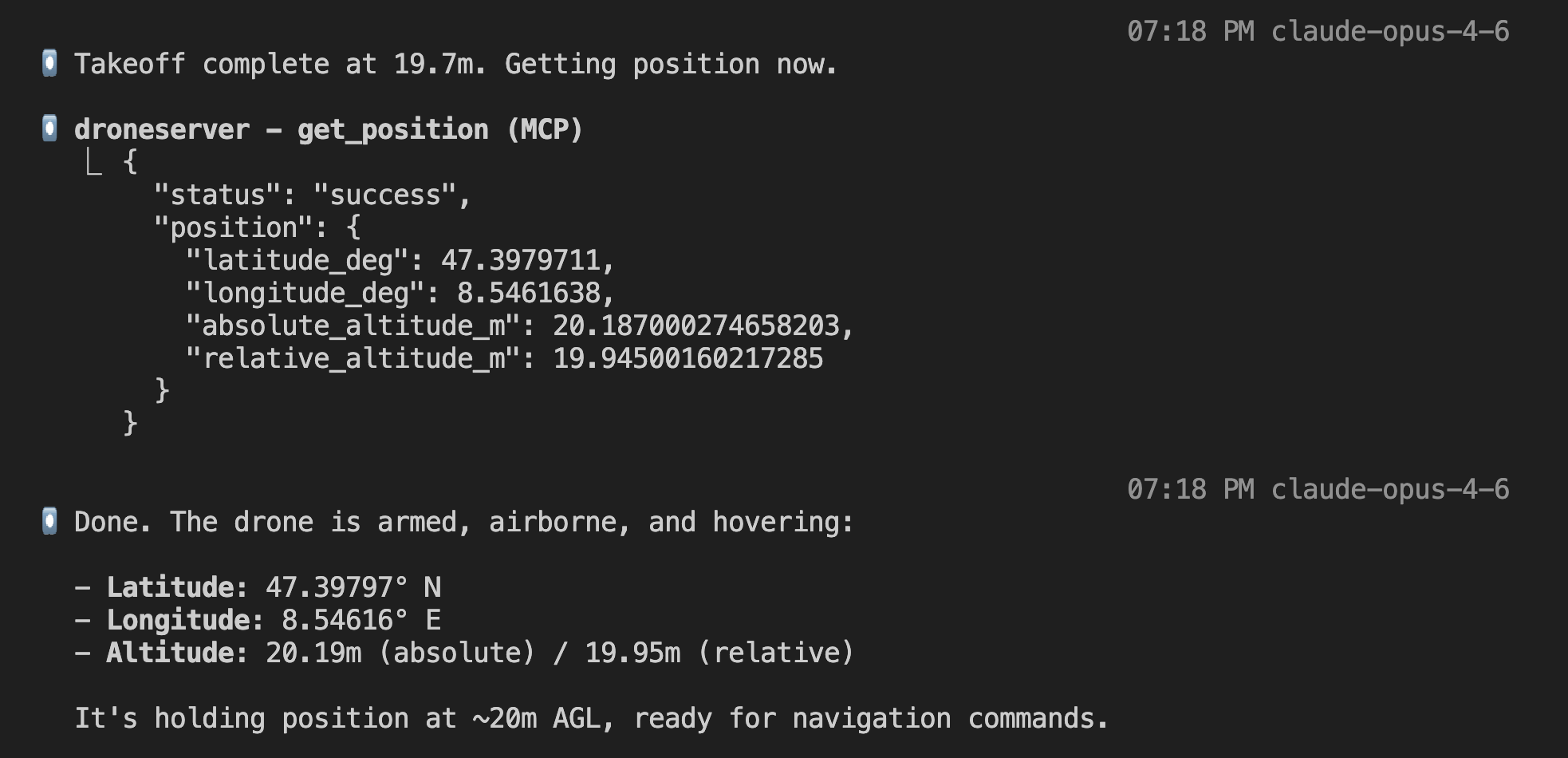
Then the real test: “Arm the drone, take off to 20 meters, then get the position again.” Claude called arm_drone (success), then takeoff with altitude 20 (takeoff complete at 19.7m AGL), then get_position — hovering at 19.95m relative altitude. Armed, airborne, and holding position.
The split-screen view tells the whole story. On the left: droneserver logs showing altitude climbing second by second (3.6m → 5.0m → 6.4m → … → 19.7m, “Takeoff complete”). On the right: Claude Code receiving the MCP responses and interpreting the telemetry. Two systems talking to each other, one of them an LLM.
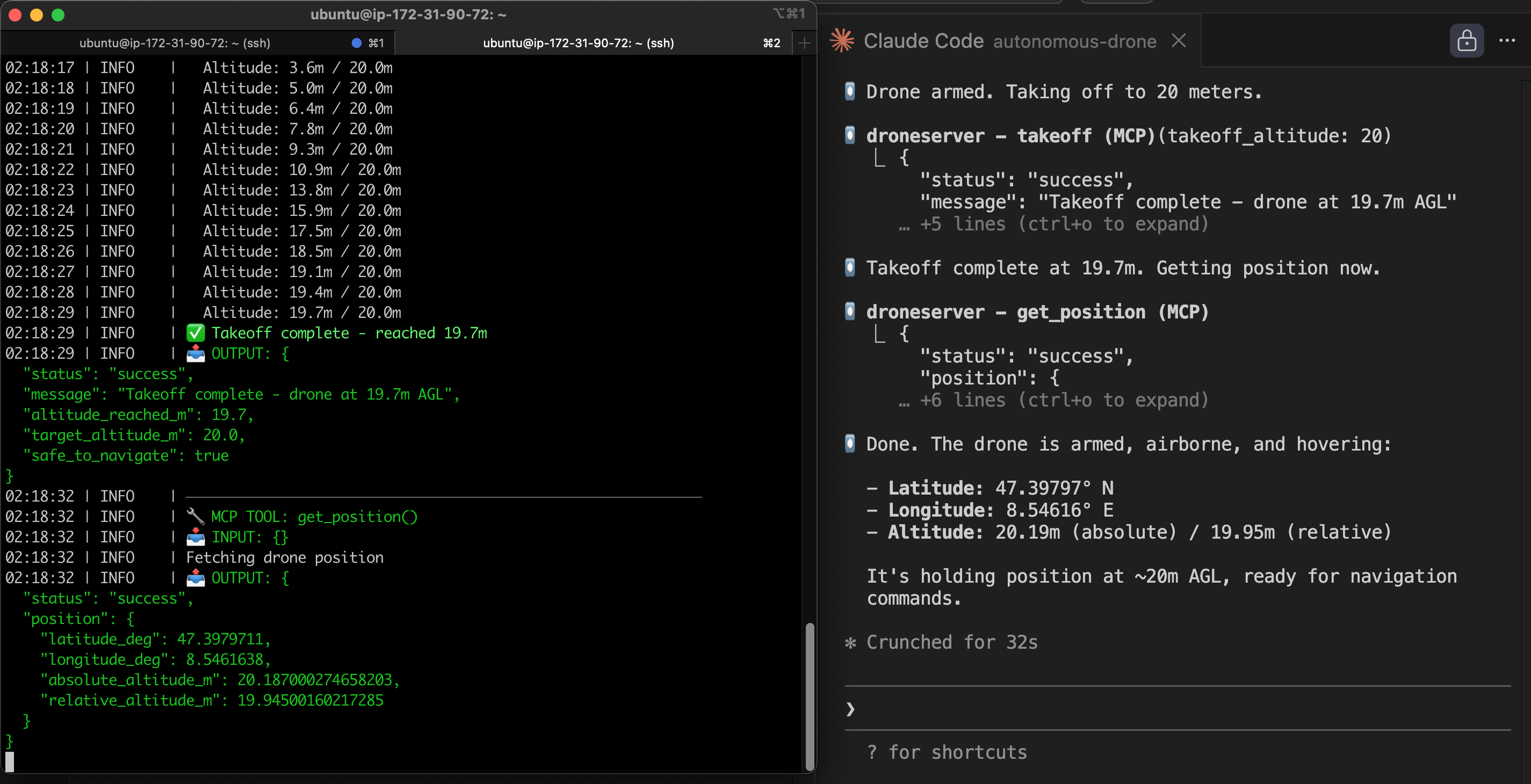
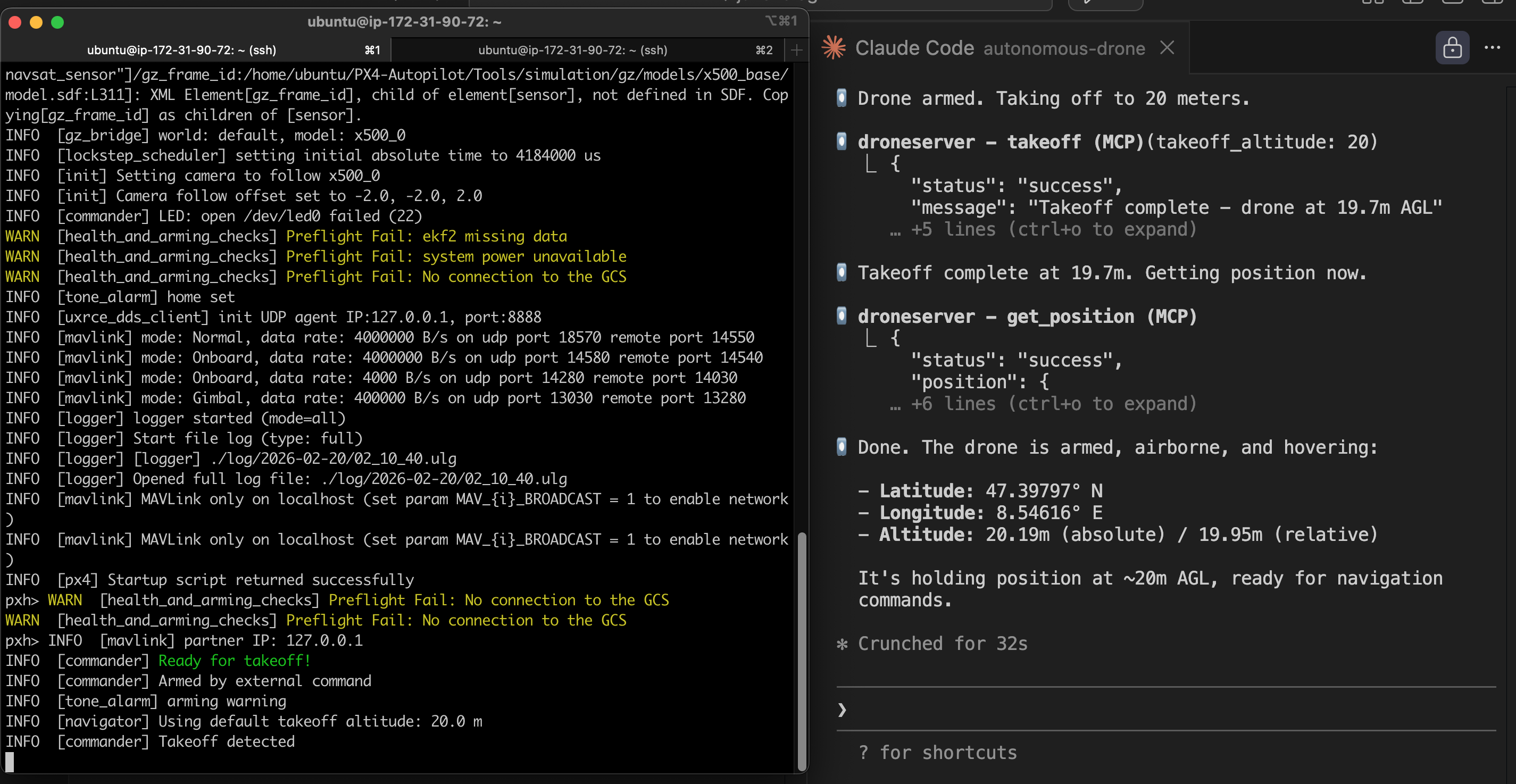
That was the Phase 1 milestone: first LLM-controlled drone flight. Natural language in, drone commands out, real telemetry back. It works.
Phase 1.5: Docker Containerization (Feb 20)
Native installs work but they don’t scale. If I want multiple drones, I need each one in its own container. Docker gives me reproducible builds, easy scaling (one container per drone for fleet operations), and clean teardown. But I had to go back and solve that networking problem from attempt #1.
The MAVLink Networking Fix
The root cause was straightforward once I understood it: PX4 broadcasts MAVLink UDP to localhost by default. In a Docker bridge network, localhost is the container itself — not the host, not other containers. So the heartbeats were going nowhere. The fix:
- Put PX4 and droneserver in the same Docker bridge network (
drone-net) - PX4’s entrypoint script resolves
droneserverhostname via Docker DNS (getent hosts droneserver→172.18.0.3) sedpatches PX4’s MAVLink startup config to inject-t 172.18.0.3, directing heartbeats to the droneserver container specifically- droneserver listens with MAVSDK in listen mode (
udp://:14540) — accepting incoming heartbeats rather than connecting outbound
This required patching droneserver’s MAVSDK connection logic. The original code raised an error on empty addresses. My fork now treats 0.0.0.0 or empty as “listen mode” — sit on the port and wait for PX4 to send heartbeats to you.
Building the PX4 Docker Image: Six Iterations
I built a custom PX4 SITL Docker image from scratch (no third-party images) which meant compiling PX4-Autopilot v1.16.1 from source inside a container. This took six iterations to get right. Each build on a t3.large takes about 30 minutes so this was a long day of waiting:
- Missing OpenCV — PX4’s cmake couldn’t find OpenCV. Added
libopencv-dev. - Missing cppzmq — Another missing library. I abandoned hand-picking dependencies and switched to PX4’s own
Tools/setup/ubuntu.sh --no-nuttxscript, which installs everything reliably. - Missing git tags — Shallow clone didn’t include tags that PX4’s build system needs for version headers. Added
git fetch --tags --depth 1. - Build command hung —
DONT_RUN=1 make px4_sitl gz_x500launched the full simulation anyway despite the flag. Thegz_x500target includes simulation launch regardless. - DDS submodule missing — Tried
cmake --builddirectly to avoid the simulation launch, but PX4’s make targets handle submodule initialization that raw cmake doesn’t. - Success —
make px4_sitl_defaultbuilds only the firmware without launching any simulation. 5.64GB image.
Gazebo Environment: Three More Iterations
With the image built, the entrypoint had to launch Gazebo and PX4 correctly. PX4 and Gazebo kept disagreeing on the drone specification — this was a recurring theme:
- Model not found — Gazebo couldn’t find the x500 drone model. Needed
GZ_SIM_RESOURCE_PATHpointing to PX4’s model directories. - Sensors missing — Gazebo loaded the model but PX4 reported no accelerometer, gyroscope, barometer, or compass data. The Gazebo system plugins path wasn’t set, so the physics plugins weren’t loaded.
- Unbound variable crash — PX4 generates a
gz_env.shscript during build that sets all the correct Gazebo paths. Sourcing it in the entrypoint was the right call, but it appends to$GZ_SIM_RESOURCE_PATHwhich didn’t exist yet, and bash’s strict mode killed the script. Fixed by initializing the variables to empty strings before sourcing.
The Final Docker Stack
┌─────────────────────────────────────────────┐
│  EC2 (t3.large, Ubuntu 24.04)               │
│                                              │
│  ┌──────────────┐    ┌───────────────────┐  │
│  │  px4-sitl-0   │───▶│  droneserver-0    │  │
│  │  (PX4 + Gz)   │UDP │  (MCP server)     │  │
│  │  Port 14580   │14540│  Port 8080        │  │
│  └──────────────┘    └───────────────────┘  │
│         drone-net (bridge)                   │
│                         │ :8080              │
└─────────────────────────┼────────────────────┘
                          │ SSH tunnel
                    ┌─────┴─────┐
                    │  Operator  │
                    │  (MacBook) │
                    └───────────┘
docker compose up -d and both containers start. PX4 boots, Gazebo loads the x500 drone model with full sensor simulation, MAVLink heartbeats flow across the Docker bridge to droneserver, MAVSDK connects, GPS locks, and the drone reports ready for commands. The whole thing is reproducible and teardown is one command.
Lessons Learned
Don’t containerize what you don’t understand. The Docker attempt in Phase 1 failed because I didn’t understand MAVLink’s UDP networking behavior inside bridge networks. Once the native install proved the full stack worked, containerizing was a matter of reproducing a known-good configuration — not debugging two unknowns at once.
Test the lowest layer first. A raw UDP socket test instantly diagnosed the networking failure after an hour of debugging higher-level code. Always isolate the problem layer before looking higher in the stack.
Use the project’s own setup tools. Hand-picking PX4’s C++ dependencies was a losing game. Their ubuntu.sh script handles dozens of packages and version-specific requirements. Same goes for Gazebo environment setup — PX4 generates gz_env.sh at build time with all the correct paths. Don’t reinvent what the project already provides.
What’s Next
The stack works. A drone flies on command. But it’s still one drone, no eyes, no intelligence. Here’s where this is going:
- Phase 2: Vision — Add Cosys-AirSim (the maintained fork of Microsoft AirSim) on a GPU instance for camera simulation. Feed frames to Claude’s vision API for real-time scene analysis.
- Phase 3: Fleet — Scale to multiple drones. Each drone is a PX4 + droneserver container pair. A fleet coordinator service handles multi-drone mission planning and deconfliction.
- Phase 4: Intelligence — Adaptive re-tasking. Drone spots something interesting, autonomously adjusts its search pattern, coordinates with other drones to investigate.
The FAA’s proposed Part 108 rule for Beyond Visual Line of Sight (BVLOS) operations is expected to be finalized in 2026. The framework emphasizes autonomous operations with human oversight — which is exactly what this system is designed for. The regulatory window is opening at the same time the technology is becoming viable. I plan to be ready.
-Jake